Vibe Coding skills
Most of the operations in the practices can be done with skills that install directly in TuyaOpen IDE, which dramatically improves efficiency. Below are copy-paste prompts grouped by scenario.
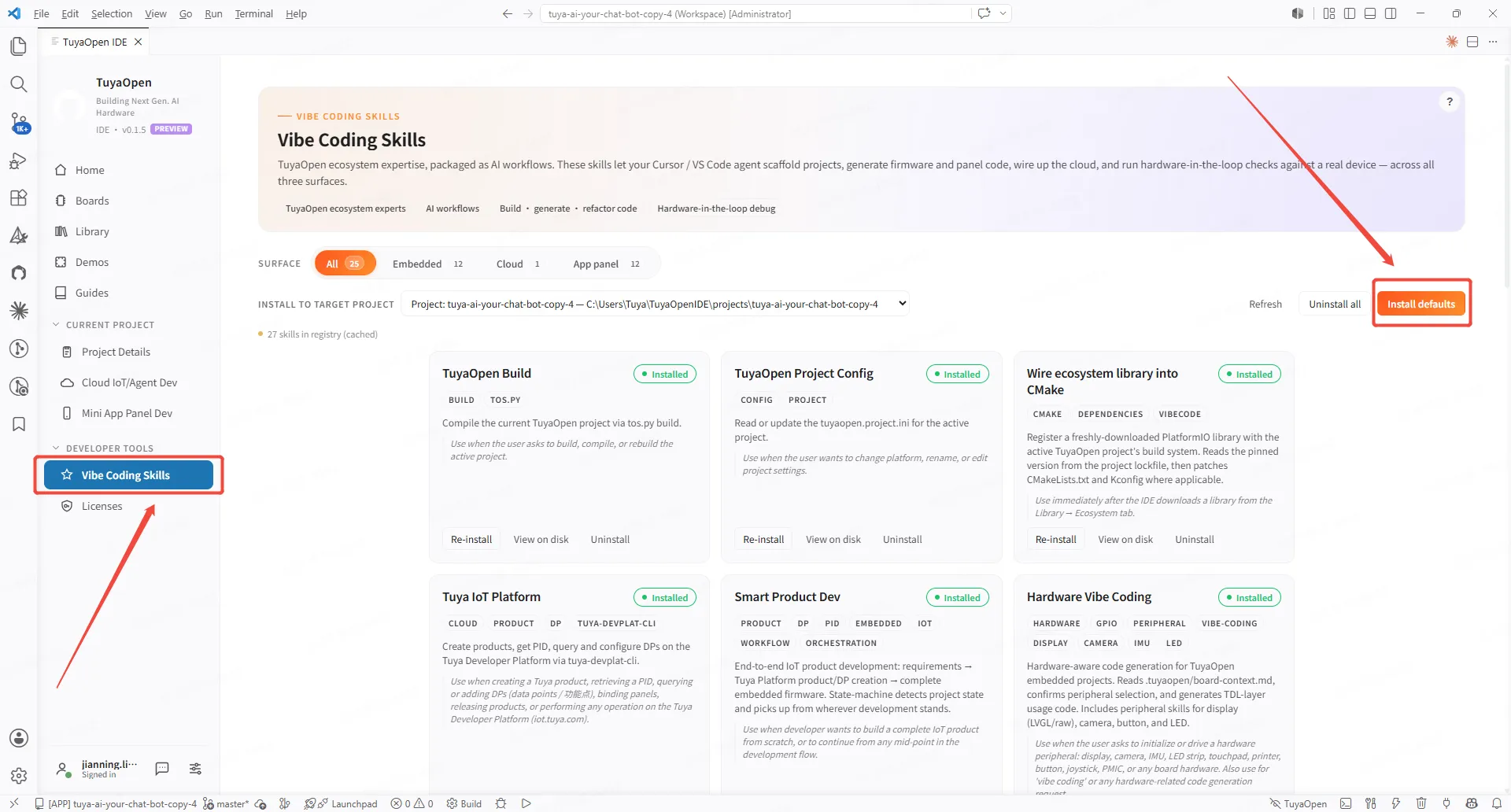
1. Hardware peripherals (the recommended starting point)
Trigger hardware-vibe-coding. It first reads the board's pin resources, confirms with you, then writes the code. Any "make the hardware do something" request goes here.
Light an LED on the board and do a breathing-light effect.
Initialize a button — short press toggles on/off, long press resets.
The board has a 3.5" LCD — show "Hello Tuya" centered and refresh a counter every second.
Print "alive" over UART once a second so I can see it on the PC.
Read an ADC pin voltage and print the value to the log.
2. Build an IoT product end-to-end
Trigger smart-product-dev. It takes you from a requirement all the way to creating the product on the platform, defining DPs, and generating firmware.
I want to make a "smart night light" — on/off, brightness control, and a timer to turn off. Take it from idea all the way to flashable.
What should I do next? (It reads the current scaffolded state and suggests the next step.)
3. Tuya Developer Platform operations (product / DP / PID)
Trigger tuya-iot-platform. It operates your bound product through a CLI.
List the data points (DPs) of my bound product sqgdjgvuhuqc7qa2.
Add a DP to this product: bool type, code switch_1, name "Switch".
List which products I have on the platform.
4. Build / flash / debug loop
Trigger tuyaopen-dev-loop, tuyaopen-build, tuyaopen-debug-helper.
Build the firmware for me.
Start capturing the device serial log in the background; tell me if there's any ERROR when it runs.
Enter the dev loop: build → flash → monitor logs, analyze errors and iterate fixes.
Check whether the code style complies.
5. Mini-apps / device panels (for the app side)
Trigger smart-panel-dev (the entry point); it then routes to categories such as lighting, sockets, robot vacuums, and IPC.
Build a control-panel mini-app for this device.
Add an electricity-usage chart to the panel (trigger charts-library / energy-stats).
Write a PRD requirements doc for this device's mini-app panel.
Next step
Ready to build your own cloud Agent? See the Agent Development Guide.