Otto Ninja Open-Source Robot
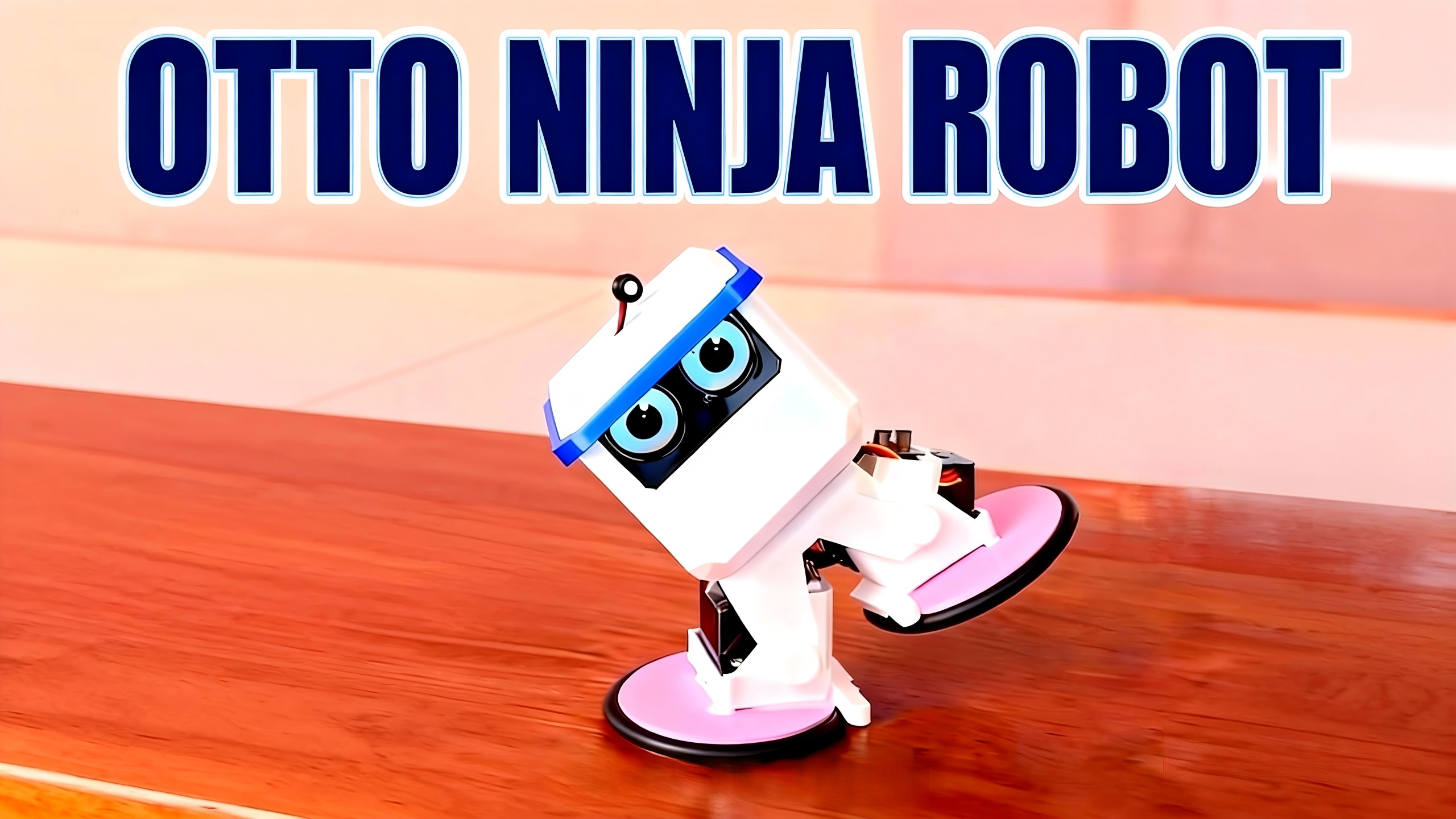
1. Project Overview
Otto Ninja is a dual-mode intelligent robot developed based on the Otto DIY open-source ecosystem, featuring one-click switching between "Walking Mode" and "Wheeled Racing Mode". It is specifically designed for makers, students, and robot enthusiasts.
The project has three core advantages:
-
Low-Cost Fabrication: Fully 3D-printed structure with easy-to-assemble components and clear procurement channels for materials;
-
Full-Stack Open Source: Complete openness of software/hardware code, hardware schematics, and 3D model files, supporting secondary open-source development;
-
Rich Functions: Compatible with GC9D01 display driver, integrating voice interaction and posture control functions, with expandable sensors.
Installation Demo Tutorial
Otto Ninja Installation Demo Tutorial
2. Core Resource List
1. Code Repository (Tuya Open Platform)
-
Main Code Repository (including core logic and drivers)
-
Key Code File Description
| File Name | Function Description |
|---|---|
otto_ninja_main.c/h | Robot main control logic (mode switching, motion scheduling) |
otto_ninja_app_servo.c/h | Servo driver program (360°/180° servo coordinated control) |
gc9d01_display.c/h | GC9D01 display driver (OLED screen data rendering and display) |
-
Quick Start Document
https://github.com/tuya/TuyaOpen/blob/master/apps/tuya.ai/your_otto_robot/README.md (including environment setup and code compilation tutorials)
2. Open-Source Hardware Resources
-
Schematic and PCB Design (LCEDA Platform)
Note: Contains complete designs of main control module, servo interface, display interface, and power management module, supporting direct export of production files.
3. 3D Printing Model Files
-
Model Repository Address
TuyaOpen/apps/tuya.ai/your_otto_robot/src/otto_ninja/3D_Models (It is recommended to jump to the "3D_Models" subdirectory for download after accessing)
-
Included File List
| File Type | Specific Components | Purpose |
|---|---|---|
| STL Format | Head shell, limb joints, mounting baseplate, caster bracket | Directly used for 3D printing (recommended layer height: 0.2mm) |
| STEP Format | OTTO NINJA.step | Editable CAD source file (for structure modification) |
| Auxiliary Parts | Modular eye plate, ninja decorative belt | Appearance enhancement and function expansion |
3. Bill of Materials (BOM)
| Component Name | Specification (Key Parameters Supplement) | Quantity | Purchase Link | Remarks |
|---|---|---|---|---|
| Rubber Sealing Ring | O-ring, 70*5 (5 pieces) | As needed | Taobao Link | Used for wheeled feet |
| Servo | 360° Servo (MG90S) + 180° Servo (MG90S) | 4 each | Taobao Link | 360° for wheeled drive, 180° for walking joints |
| OLED Display | 0.71-inch, 12P plug-in, SPI interface, GC9D01 compatible | 2 piece | Taobao Link | Displays posture data and interaction information |
| Battery Component | 3.7V Lithium Battery, 1.25mm red-black terminal connector | 1 set | Purchased on Taobao | It is recommended to choose lithium battery with protection board |
| Speaker Module | 2030 Square 4R3W1.25 200MM 1.25 Plug | 1 pc | Taobao Link | For voice interaction and audio playback |
| Microphone Module | Model 6027, analog signal, 1.25mm terminal, IP65 waterproof | 1 piece | Taobao Link | Used for voice interaction function |
| Main Control Board | T5 OTTO Development Board / Complete Set of Materials | 1 piece | Taobao Link | Complete materials |
Note: The quantity of materials can be adjusted according to the printed model version. It is recommended to purchase "1 set" for the first fabrication, with 1-2 spare vulnerable parts (such as servos and sealing rings).
4. Core Functions and Features
1. Dual-Mode Motion System
| Mode Type | Control Logic | Applicable Scenarios |
|---|---|---|
| Walking Mode | 180° servos control limb joints to simulate "walking" posture | Complex terrains (e.g., desktop, carpet) |
| Wheeled Racing Mode | 360° servos drive casters for high-speed linear/steering movement | Flat surfaces (e.g., wooden floor, tile) |
Switching Method: One-click switching via the App control interface, or trigger via shortcut keys configured in the code.
2. Modular Expansion Capability
-
Sensor Expansion:
-
Appearance Customization: 3D-printed components support personalized modification (e.g., replacing head shape, adding decorative parts);
-
Function Addition: Code supports custom logic (e.g., adding "follow mode", "obstacle avoidance mode").
3. Open-Source Compatibility
-
Platform Adaptation: Developed based on Tuya Open Platform, supporting connection to Tuya IoT ecosystem (e.g., voice assistants, App remote control);
-
Community Support: Accessible to the global Otto DIY community for more creative cases and technical support.
5. Quick Start Guide
1. Installation and Assembly
-
3D Printing Preparation: Use PLA material with layer height of 0.2mm and infill rate of 20%-30% to print all STL components (it is recommended to print "test parts" first to verify dimensions);
-
Assembly Tutorial: Refer to the video demonstration Otto Ninja Installation Demo Tutorial (Key steps: Servo calibration → Limb assembly → Main control board fixing → Display installation);
-
Calibration Points: After assembly, the servo neutral point must be calibrated through code to avoid motion deviation (calibration method see README document).
2. Firmware Burning and Network Configuration
Step 1: Firmware Burning Authorization
-
Download and install Tyutool (Windows Version);
-
Connect the main control board to the computer via USB cable, select "Otto Ninja Firmware" (firmware obtained from project compilation);
-
Complete authorization and burning according to the tool prompts (you need to create a project on the Tuya Developer Platform in advance to obtain authorization information).
Step 2: App Network Configuration and Control
-
Download the "Tuya Smart" App (or project-customized App), register and log in;
-
Enter the App network configuration page, select "Auto Discover Devices" (ensure the main control board is in network configuration mode);
-
After successful network configuration, enter the control interface:
-
Dial: Controls the robot's forward/backward/steering;
-
Mode Switch Button: Clicks to switch between "Walking" / "Wheeled" modes;
6. Open-Source License and Statement
-
Open-Source License: Complies with the CC BY-NC-SA 4.0 License (allows non-commercial use, modification, and sharing, with attribution to the original author and distribution under the same license);
-
Adapted Platform: Tuya Open Platform (must comply with platform developer specifications);
-
Update Time: 2025-12-06 (subsequent updates will be synchronized to the "CHANGELOG.md" file in the code repository);
-
Author Information: Optimized by Robben based on the Otto DIY open-source project. Original authors include Sebastian Coddington, txp666, etc. (Gratitude to all contributors);
-
Disclaimer: The project is for learning and non-commercial use only. Safety precautions must be taken during hardware fabrication (e.g., lithium battery usage specifications, correct servo wiring).
7. Frequently Asked Questions (FAQ)
-
Q: What should I do if the servo moves stuck or deviates?
A: Check if the servo wiring is correct (power supply, signal pin), and re-calibrate the servo neutral point through code.
-
Q: How to troubleshoot if the display does not light up?
A: Confirm that the GC9D01 driver code has been compiled correctly, check the display wiring (whether SDA/SCL pins match the main control board), and try re-burning the firmware.